Skip to main content
Installing Nextcloud on IOS
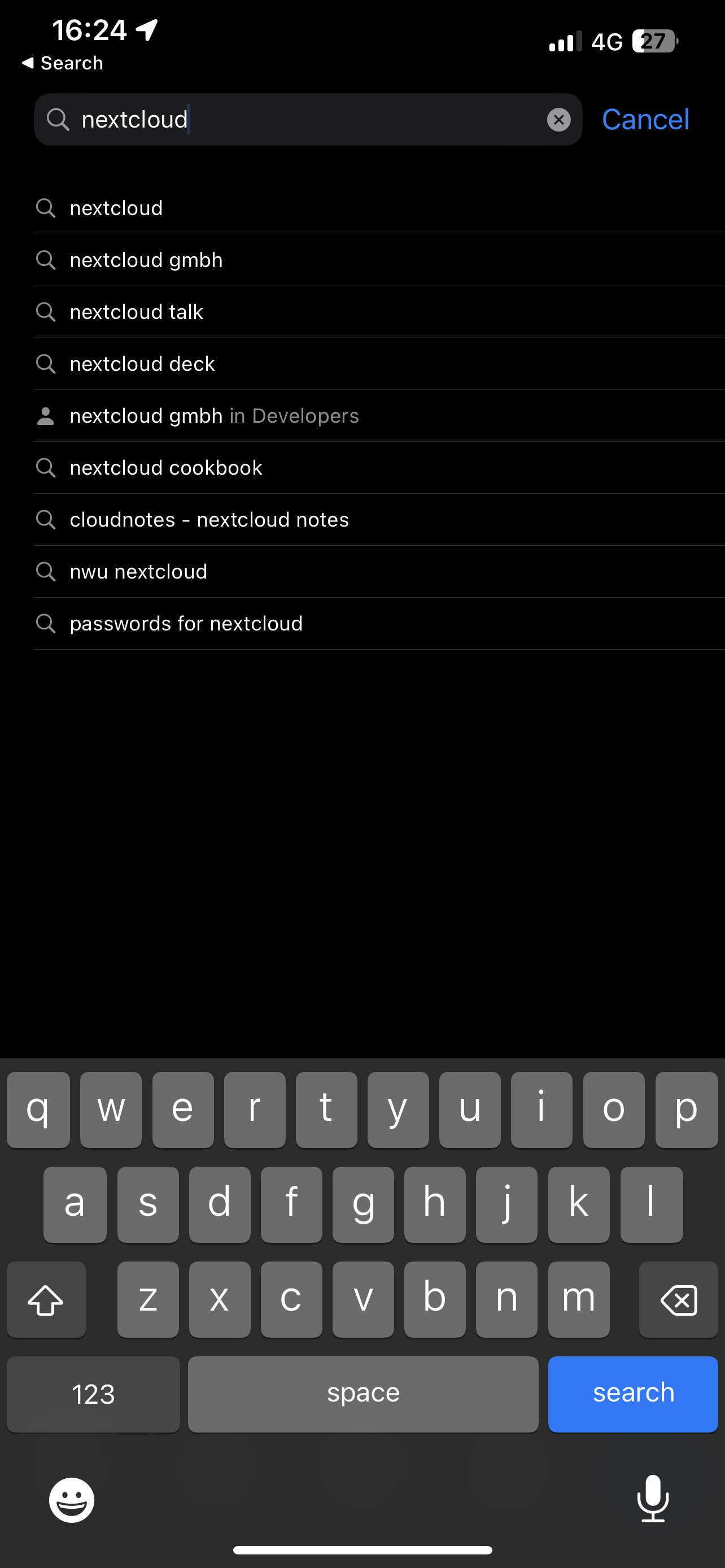
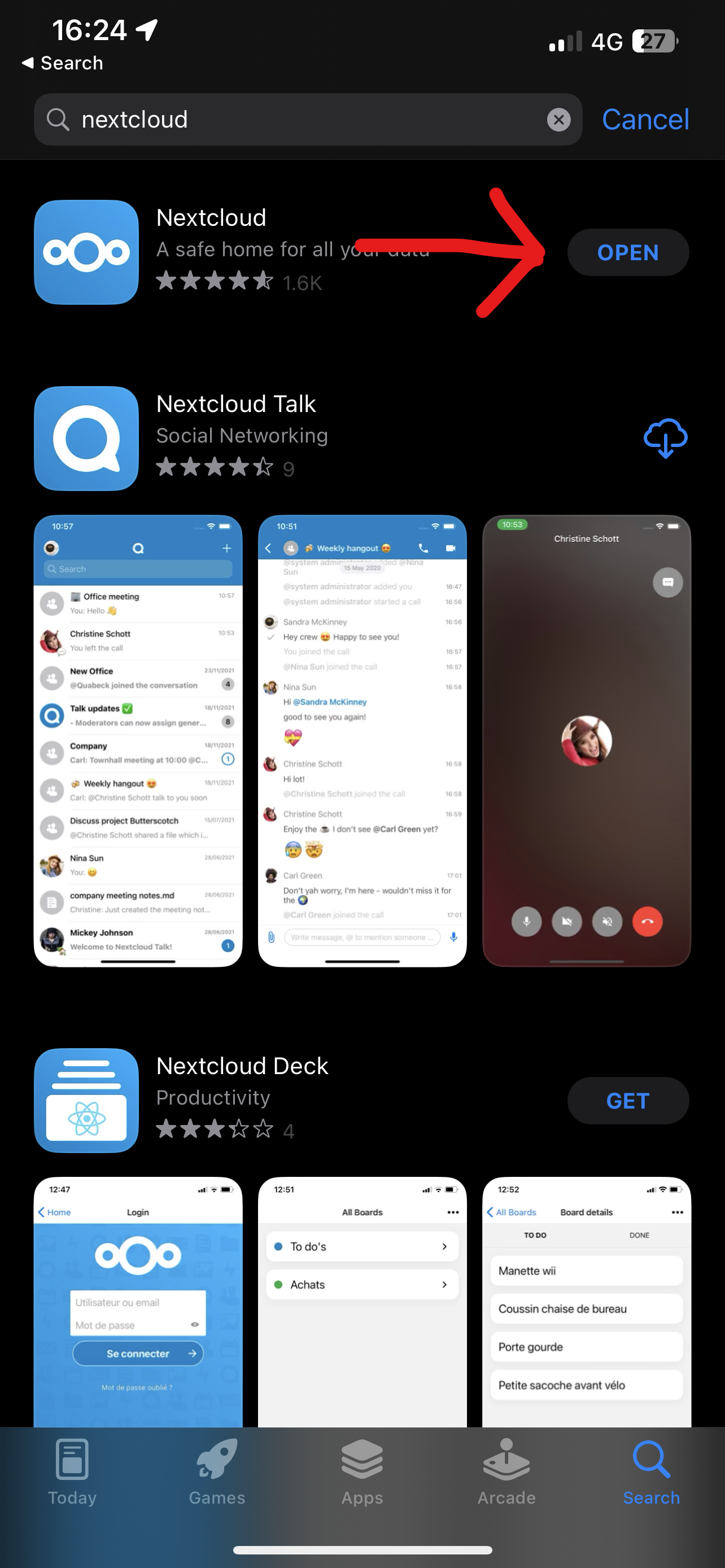
- Open the App store and search "Nextcloud"
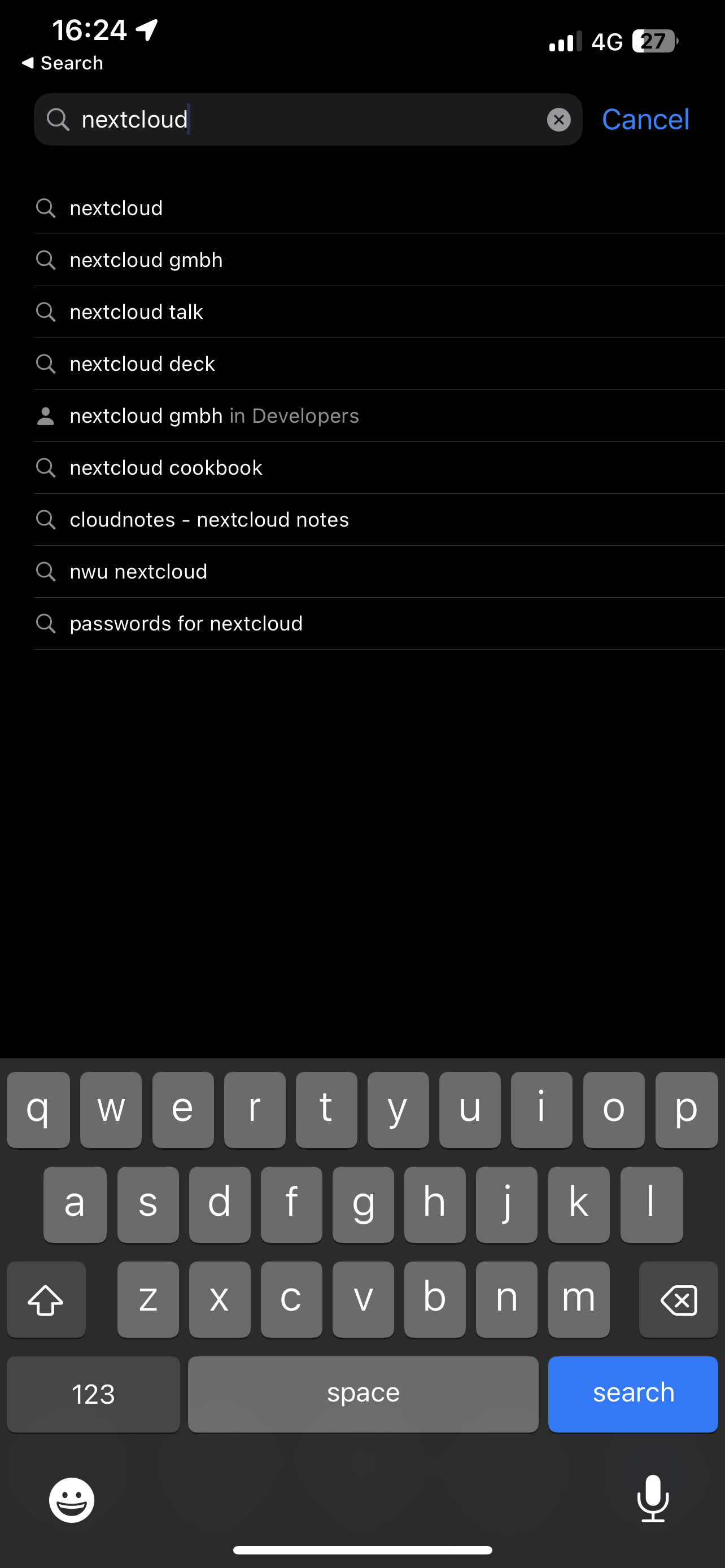
- Install the Nextcloud App
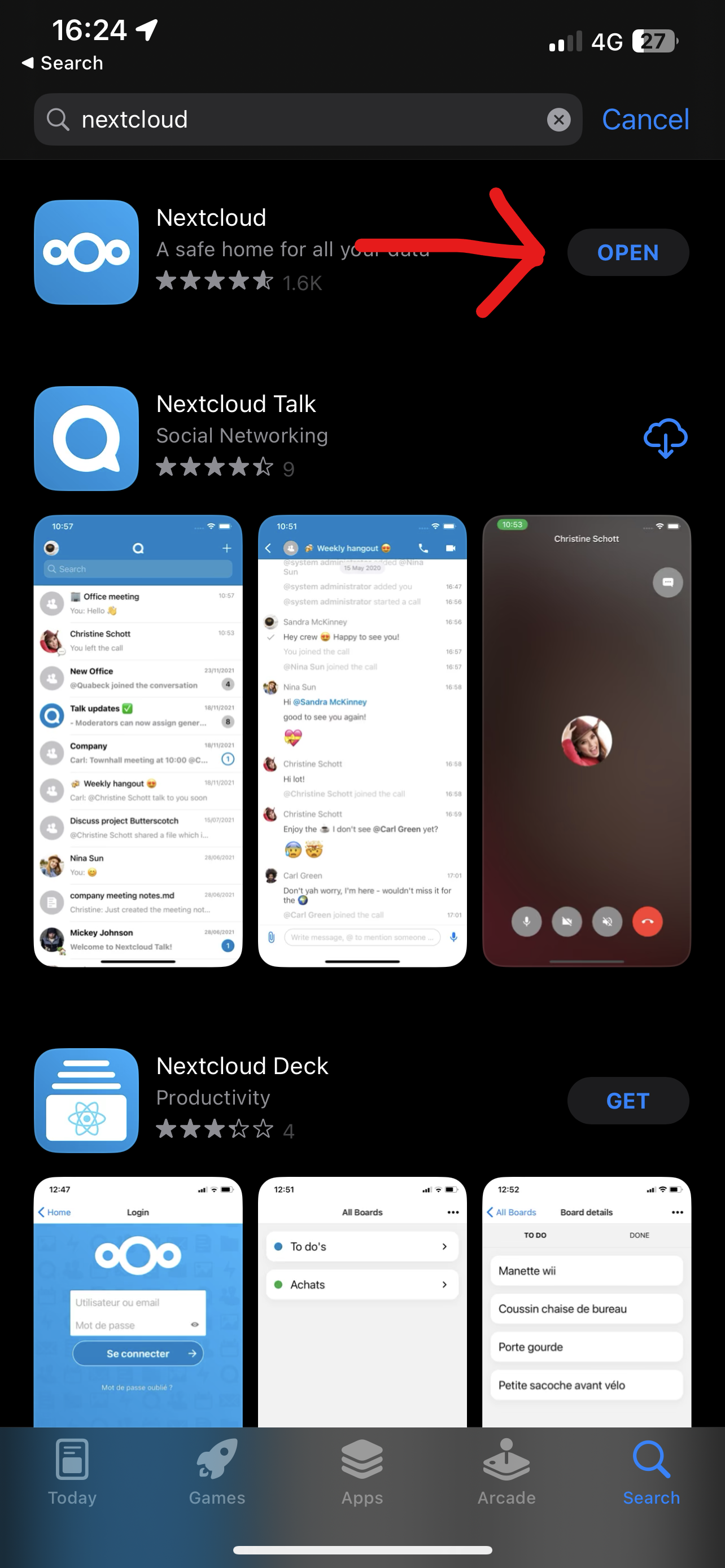
- Open the Nextcloud App
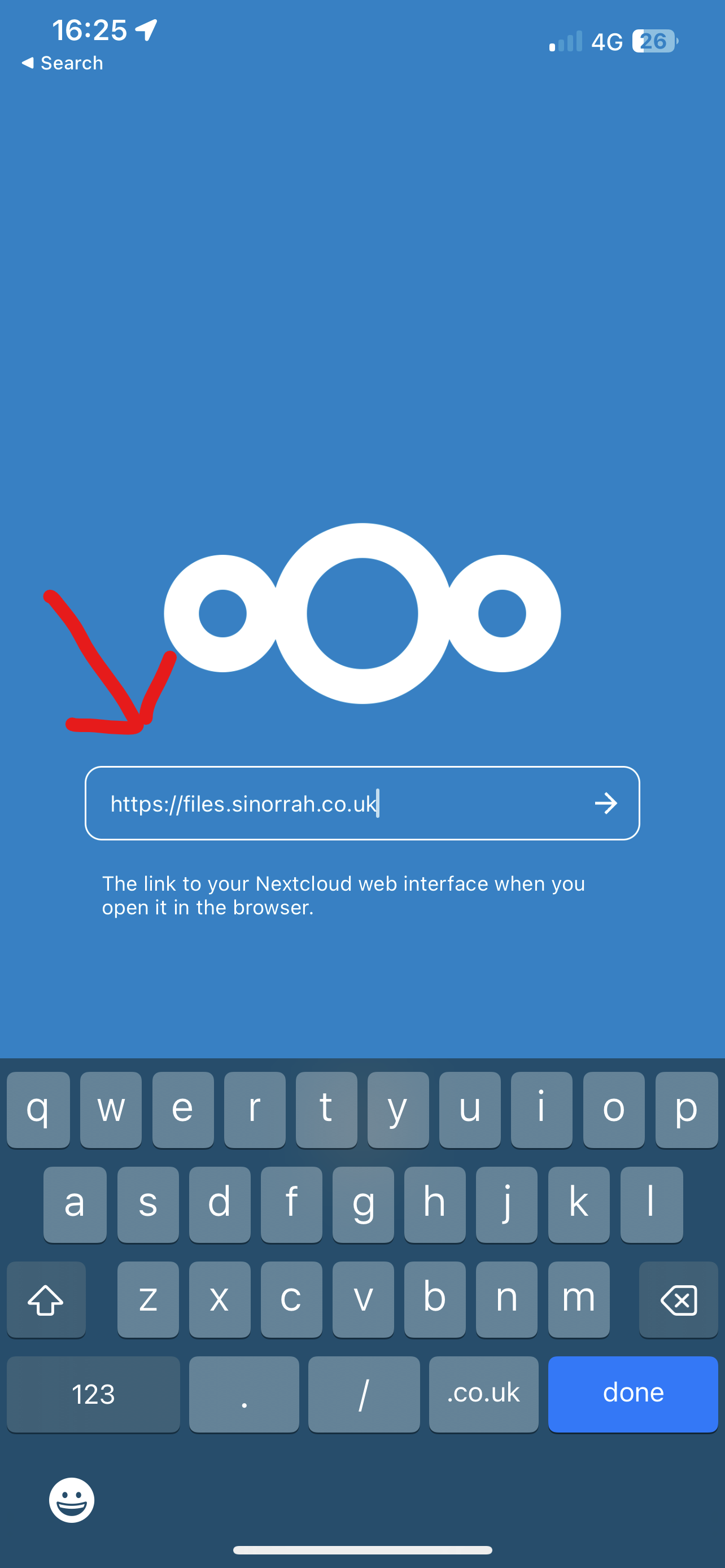
- Press Log In
- Enter in the "Server Address" box "https://files.sinorrah.co.uk"
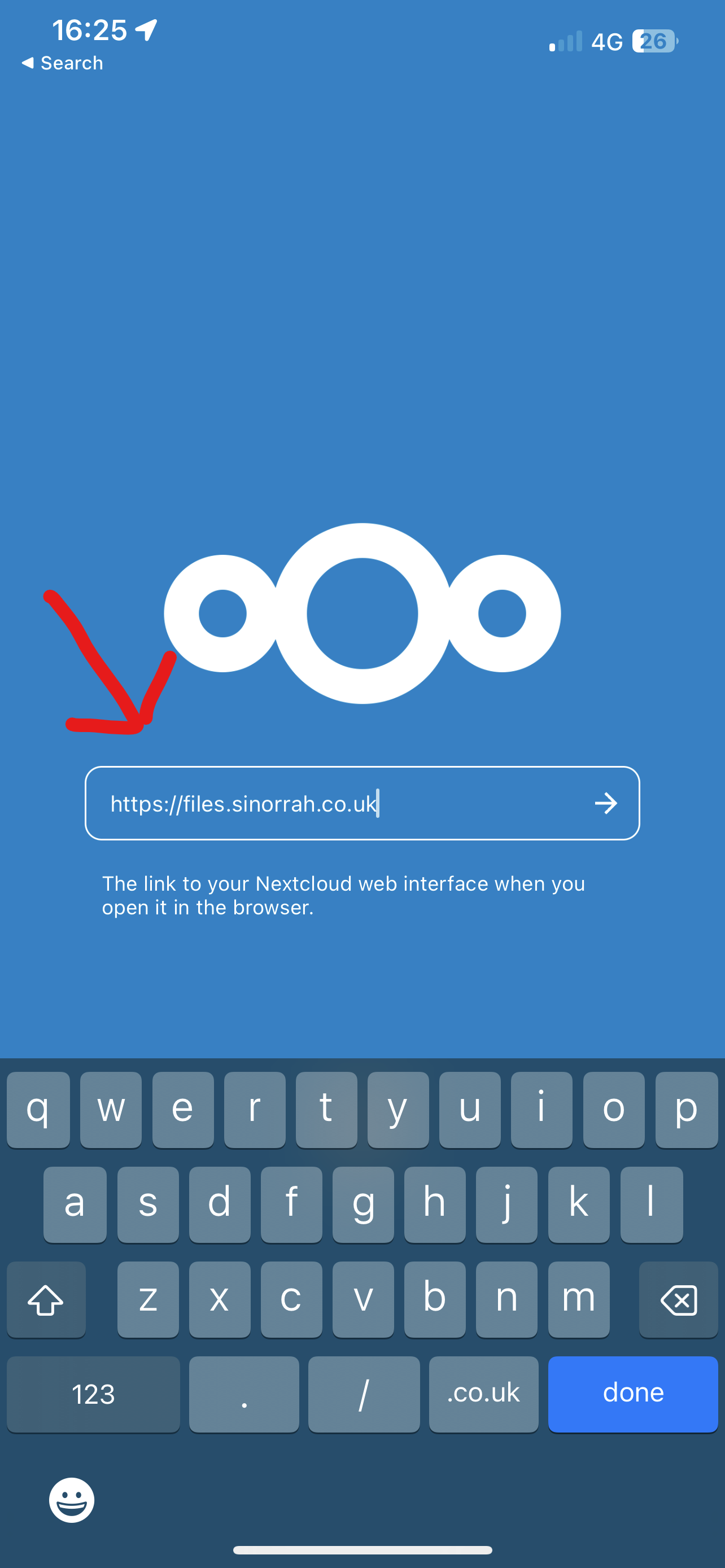
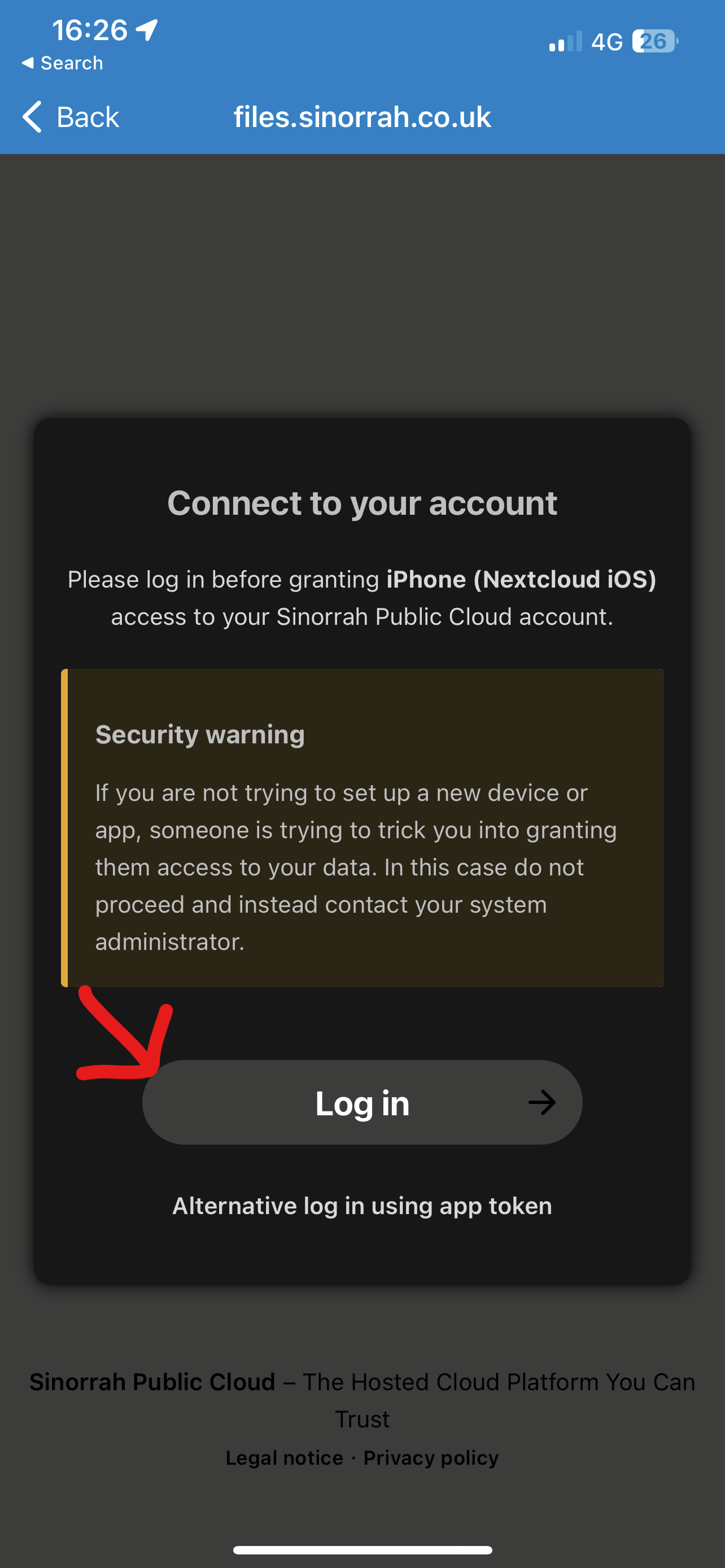
- Press Log In
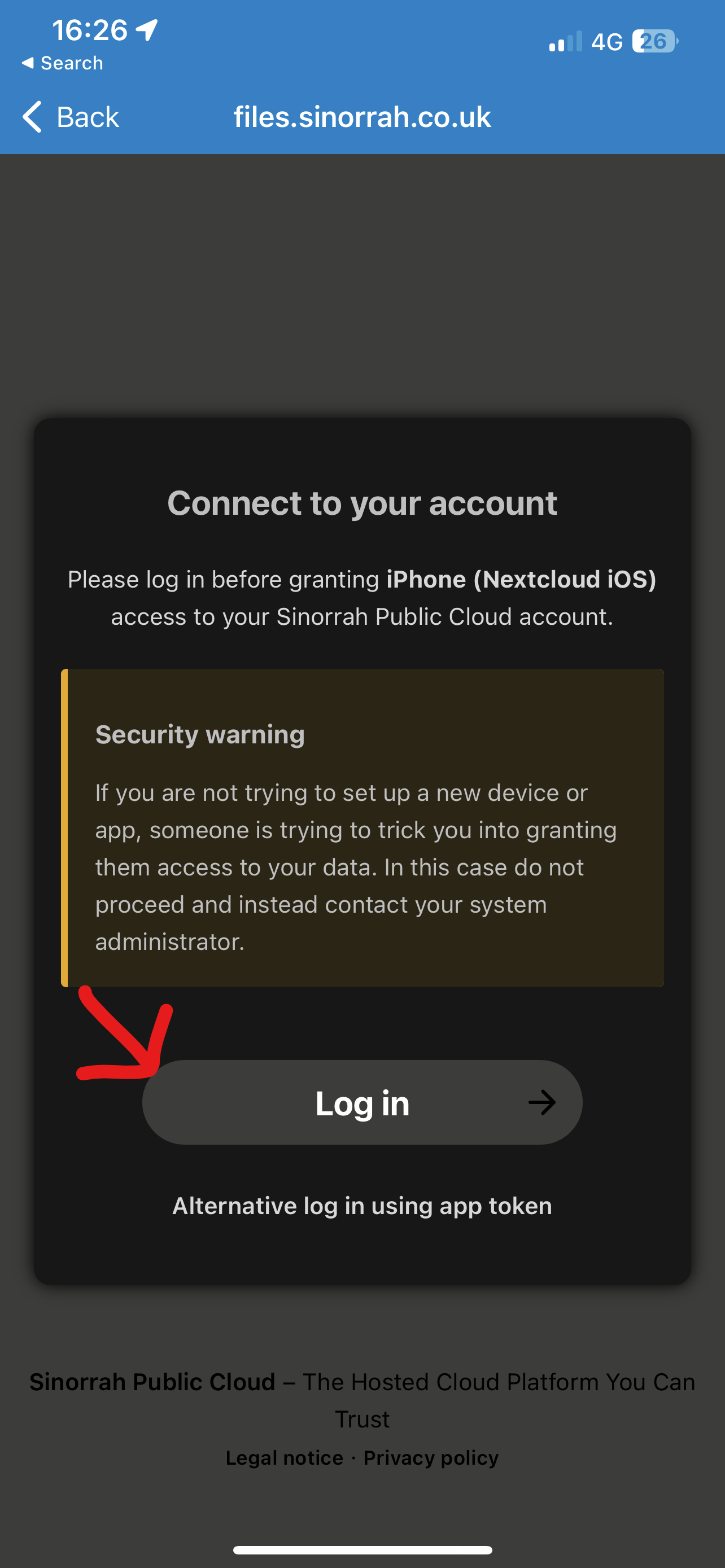
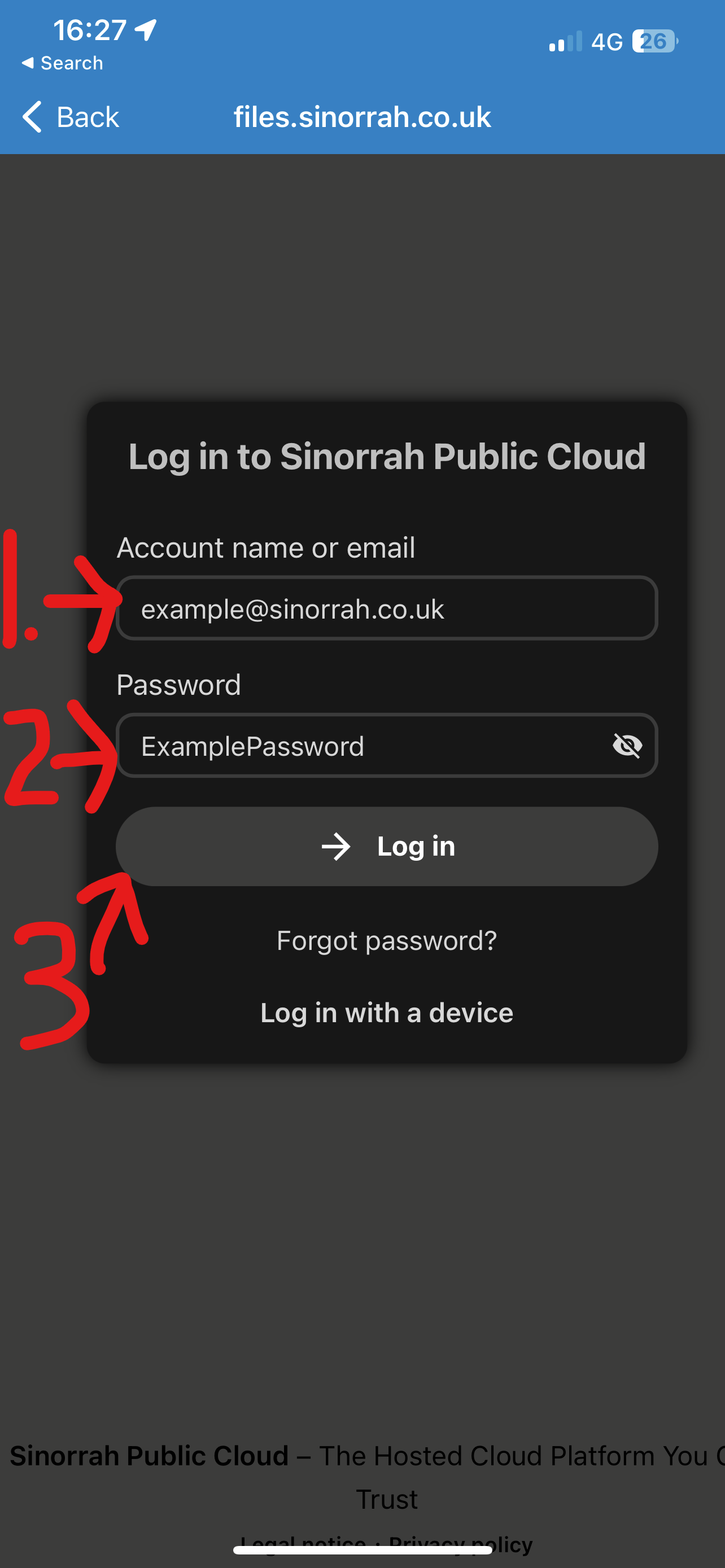
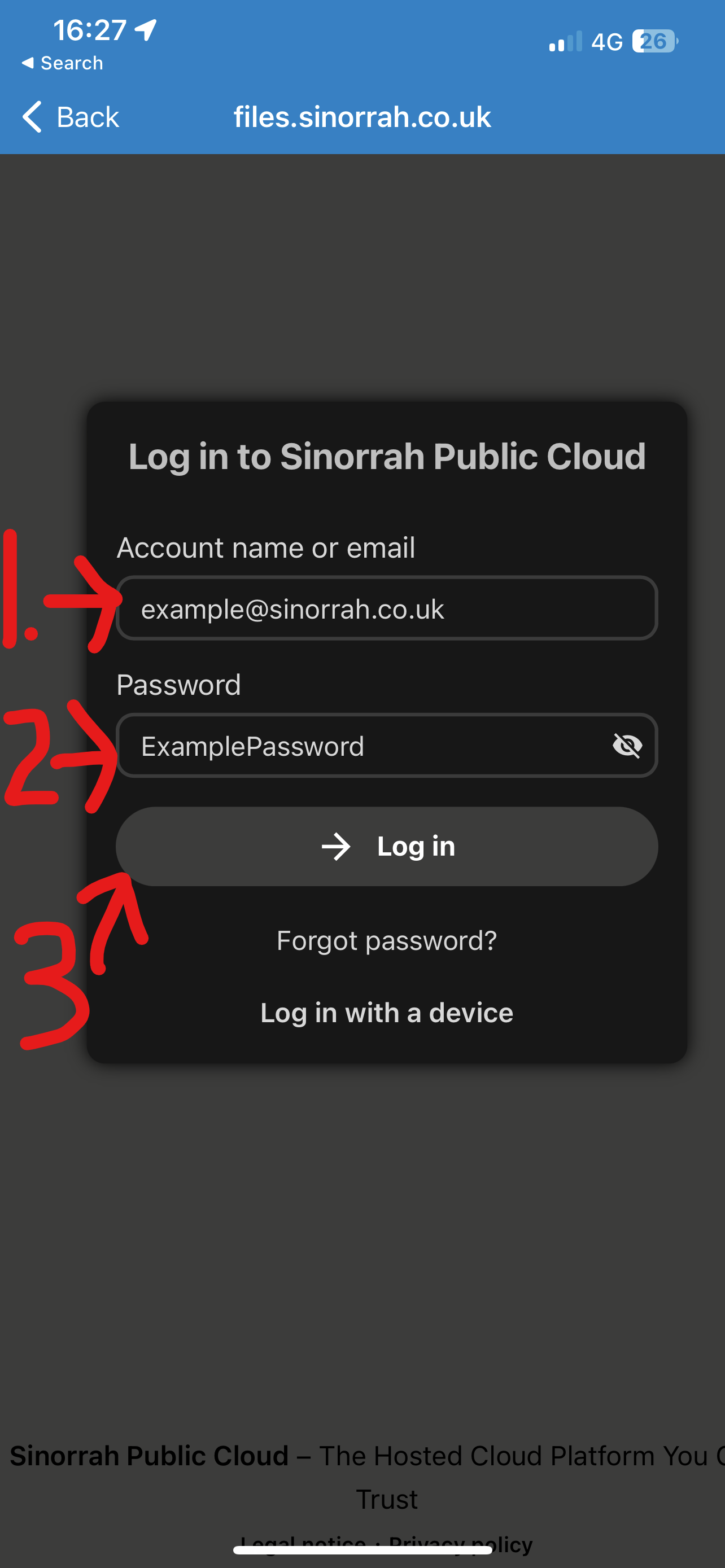
- Enter your email address in the "Account name or email" box, Enter your password in the "Password" box, then press "Log in"
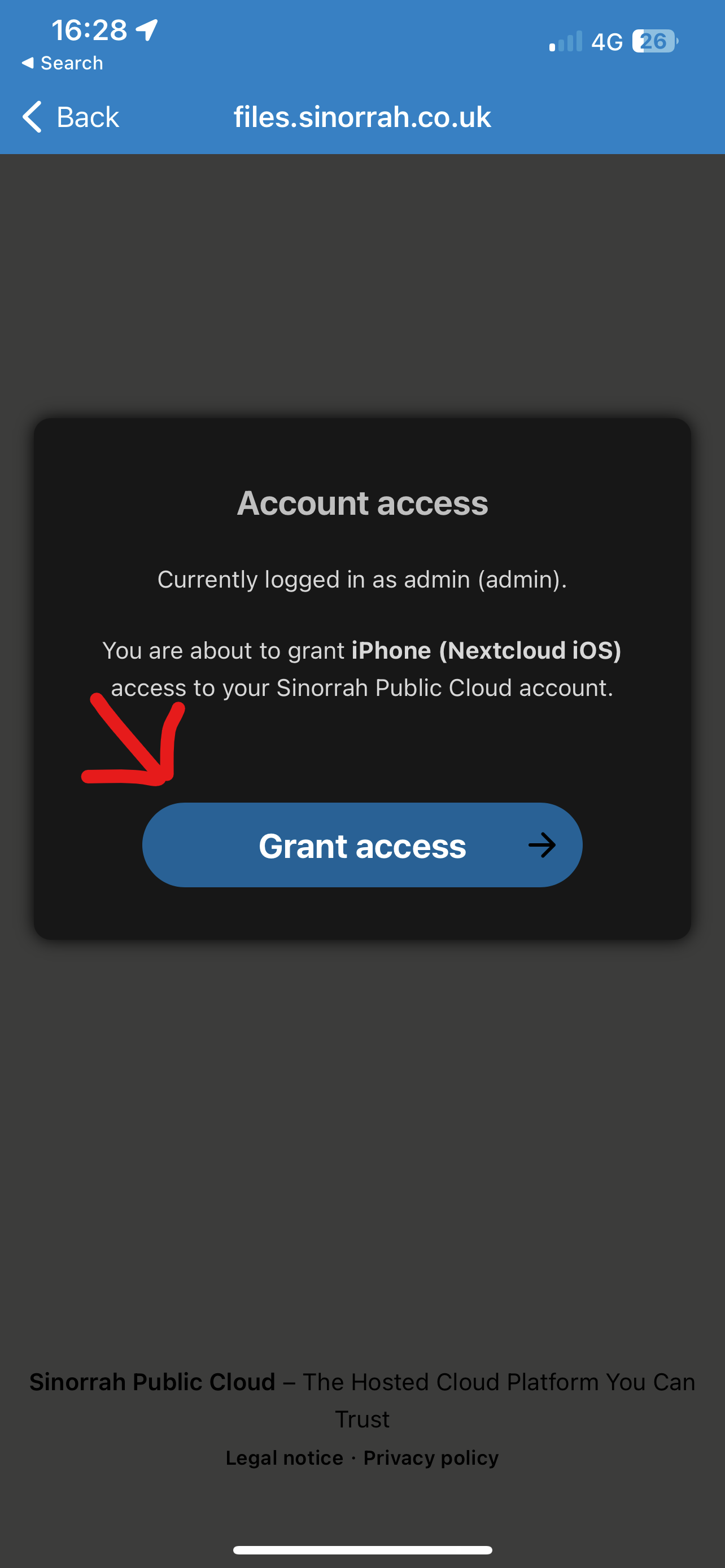
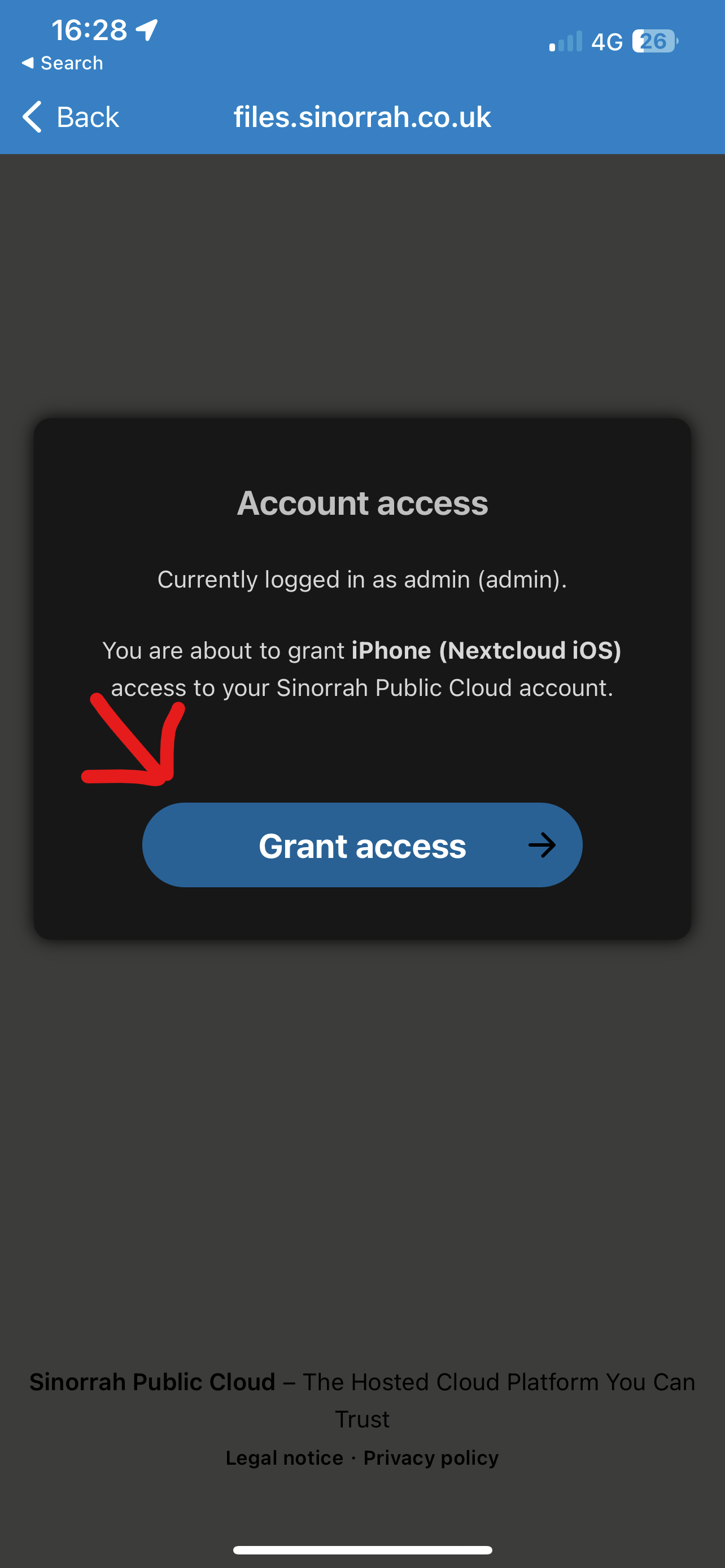
- Press Grant Access
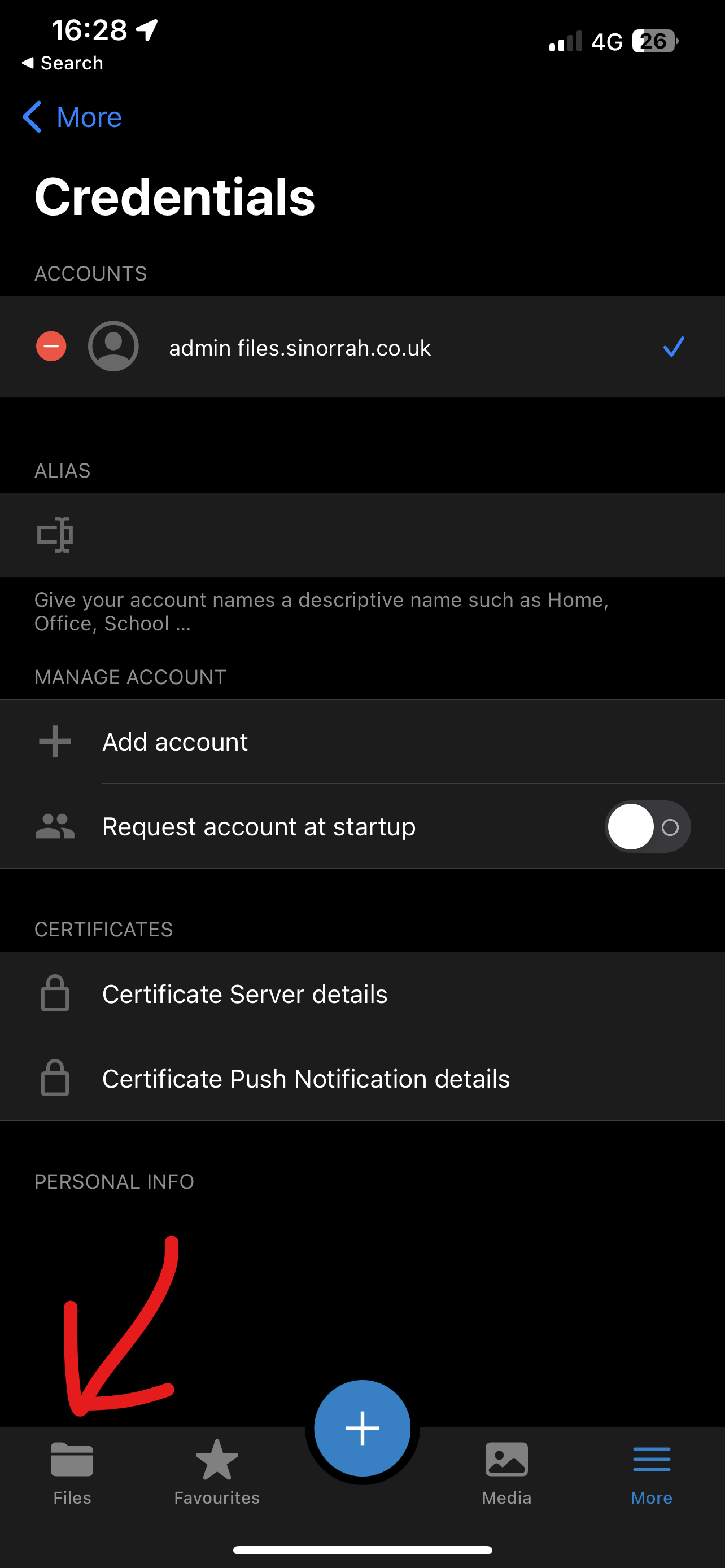
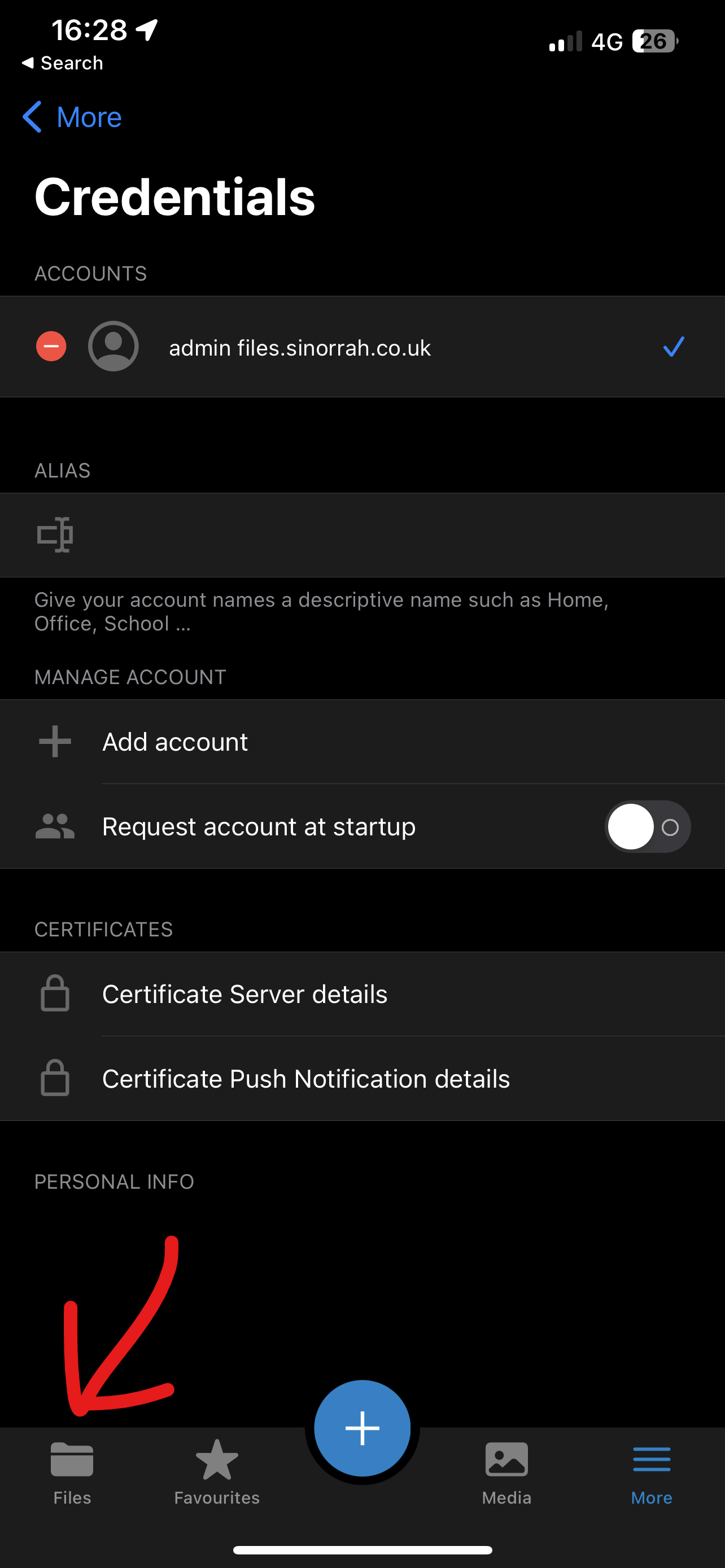
- You should now be logged in and ready to use Nextcloud, to view your files press the "Files" icon at the bottom of the screen

No comments to display
No comments to display