
VPN Guides - Wireguard Import Config
1. Open WireGuard
2. Download the WireGuard config file that has been sent to you, if you do not have it please contact us.
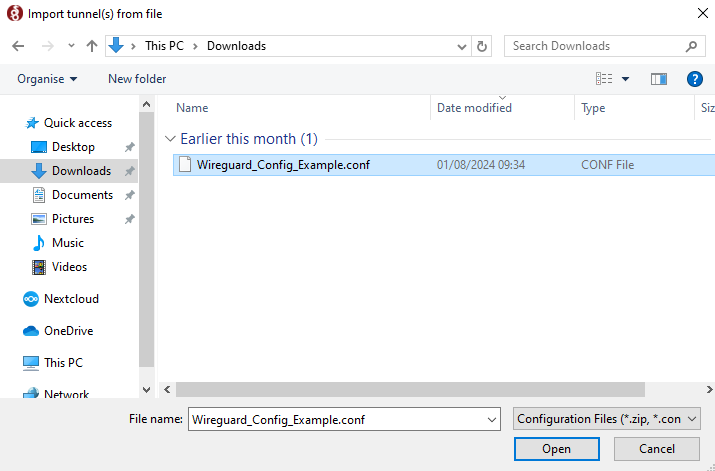
3. Click "Add Tunnel" then click "Import Tunnel(s) from file"
4. Find the WireGuard config file you previously downloaded and click open.
5. Select the Tunnel and click activate
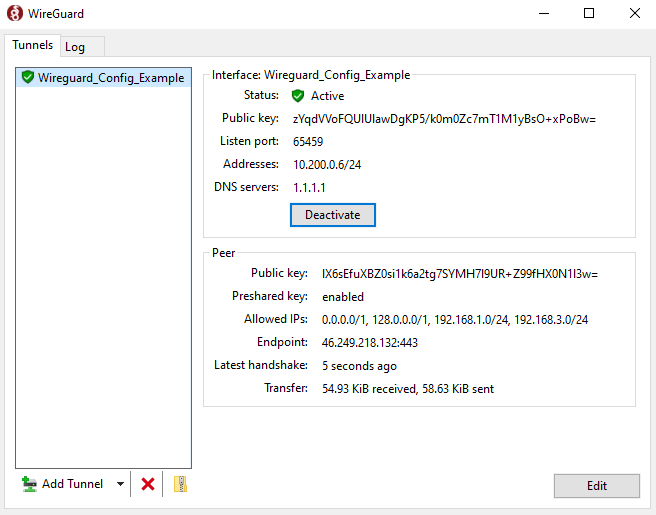
6. To know if the VPN is functioning either
A. Look at the transfer, if these numbers are both going up, the VPN is live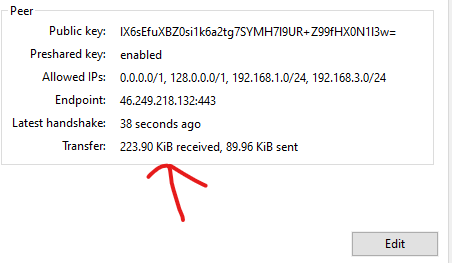
B. Go to a resource that is only available over the VPN
No comments to display
No comments to display