Skip to main content
Sinorrah Library
View All
Search
Shelves
Books
Log in
Info
Content
Install Nextcloud on W...
Installing Nextcloud o...
Page Revisions
Revision #200
Installing Nextcloud on Windows
Go to
Nextcloud.com
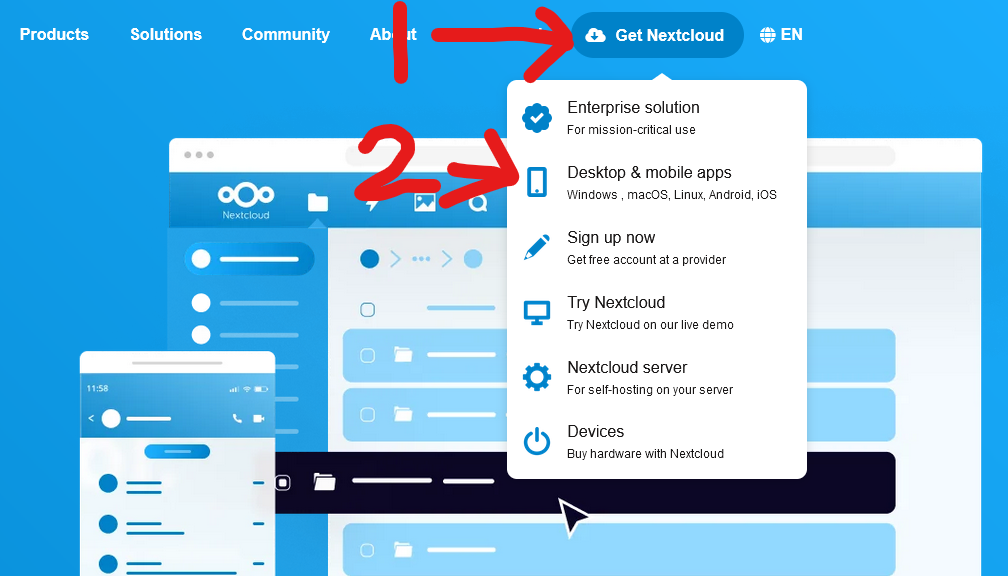
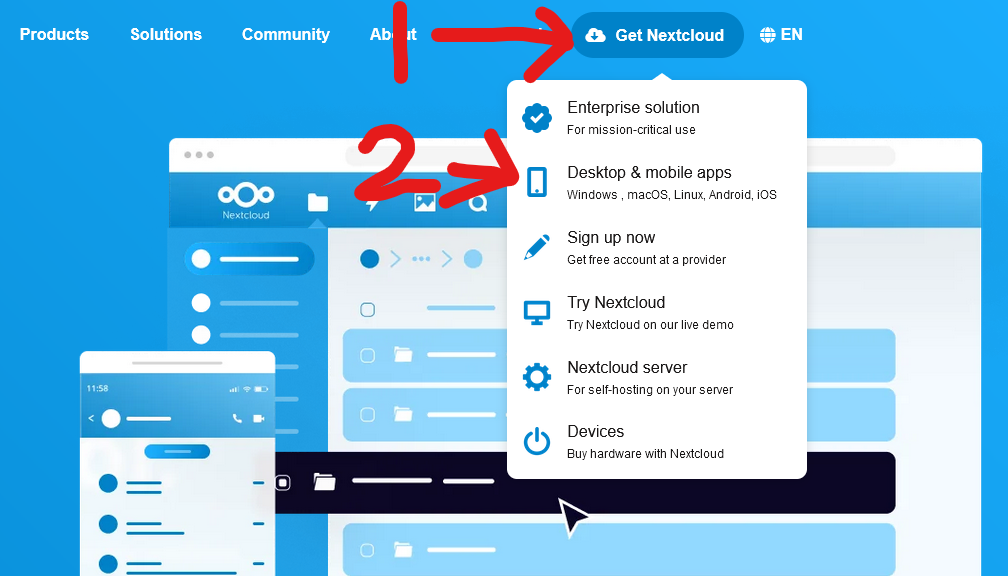
Along the top of the page go to "Get Nextcloud", then click "Desktop & Mobile Apps"
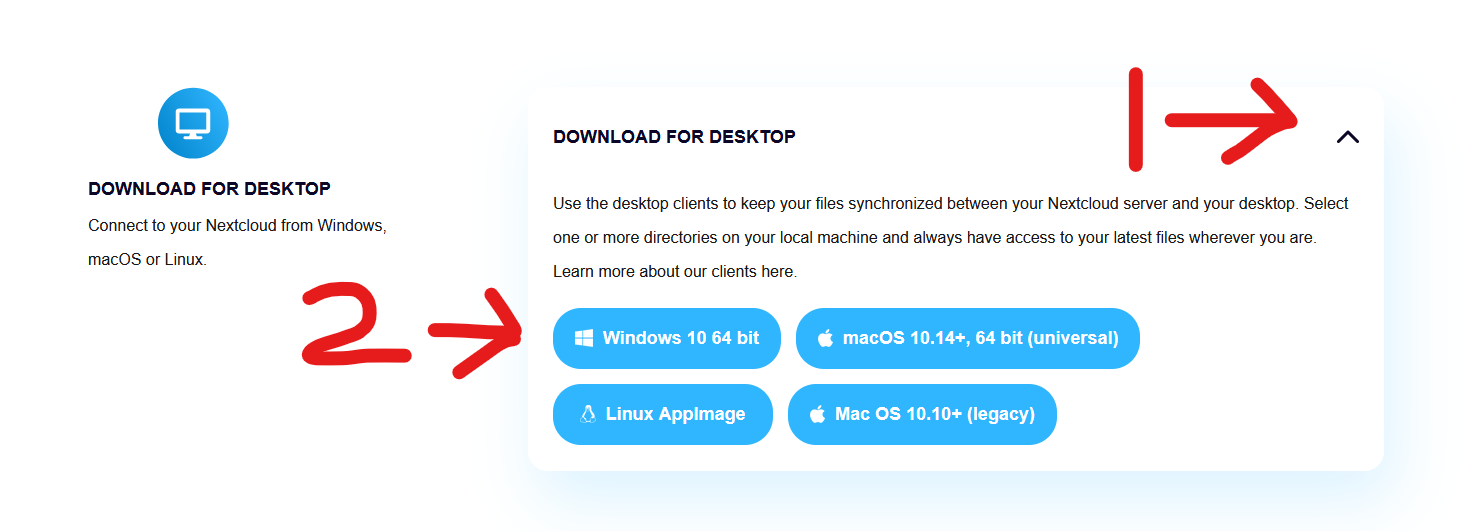
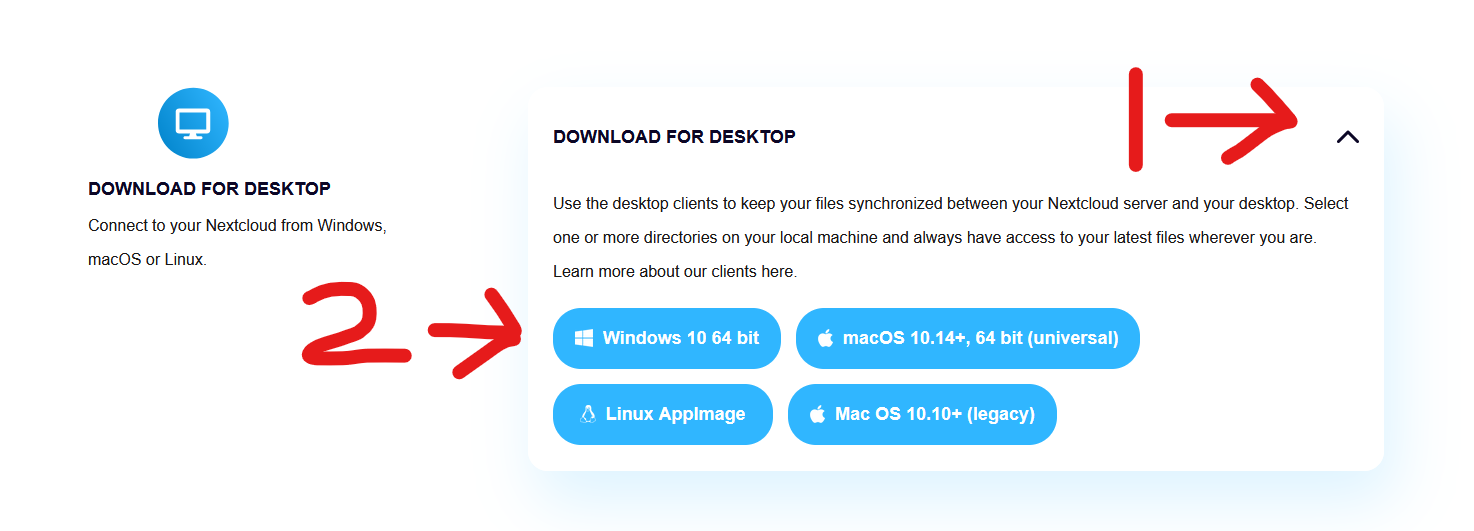
Scroll down to "Download For Desktop", click the drop arrow, then click "Windows 10 64bit"
Back to top